
In this example we are using the domain name ‘jblogs.uk’. This will need to be replaced with your own domain name.
1, Go to the Apple Menu (in the Top Left of your screen) and choose ‘System Preferences’
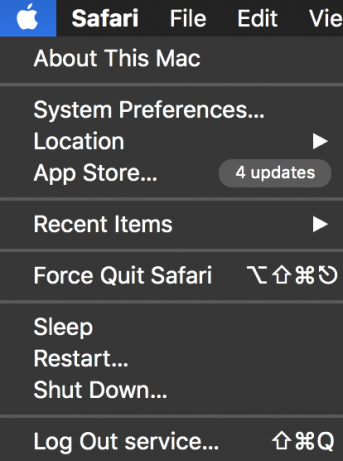
2, Once System Preferences is open Select Network

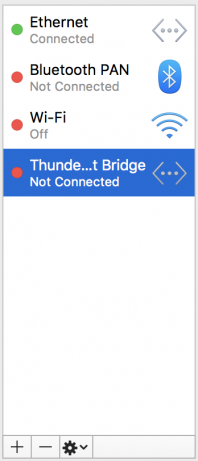
3, Once in the Network Panel click + to add a new Interface
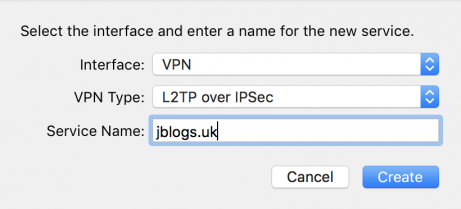
4, In the Interface Drop Down Menu choose ‘VPN’
The VPN Type should be ‘L2TP over IPSec’
The Service Name should ideally be your own domain name
Click ‘Create’
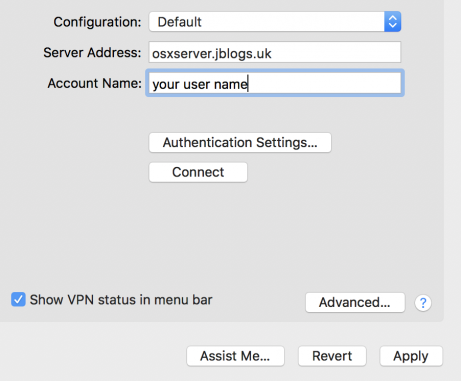
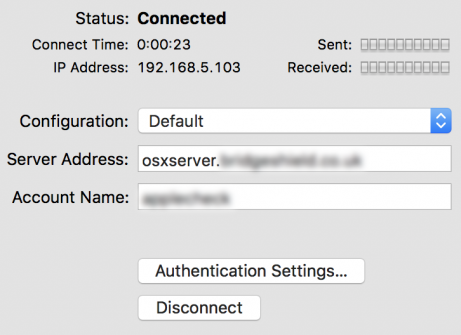
5, Once created enter the service address osxserver. followed by your own domain name
Enter your user name then click on ‘Authentication Settings’
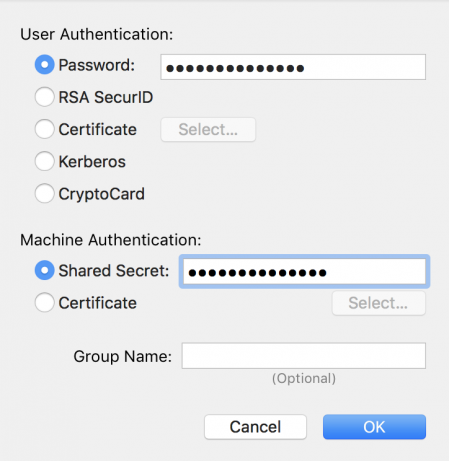
6, Enter your ‘Password’ and ‘Shared Secret’
Click ‘OK’, then ‘Apply’
7, Lastly, to test it’s working click ‘Connect’ and it should look like this
Should you experience any issue with this setup please Get in Touch